Earn Tips
Want to receive tips from supporters? Sign up, add your wallet to your bio, and get paid instantly in USDC.
How It Works
- Sign up at app.grove.city with email, phone, or wallet
- Add your wallet address (or ENS/Base name) to your social bio or website
- Get paid instantly — USDC goes directly to your wallet
See Supported Networks, Platforms & Wallets.
Step 1: Connect Your Wallet
- Go to app.grove.city/profile
- Select Base network (Solana coming soon)
- Click Connect Wallet
- Approve the connection
Grove automatically detects if you have an ENS name or Base name and displays it instead of your raw address.
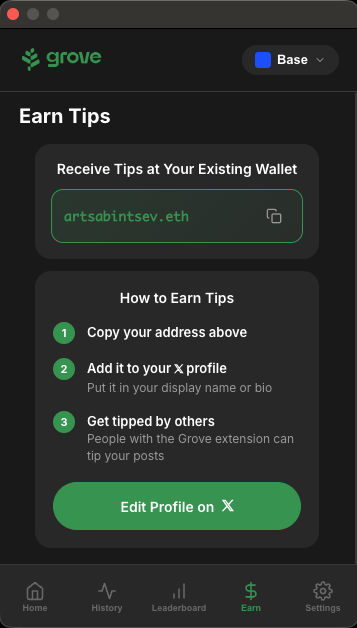
Step 2: Copy Your Address
After connecting, you'll see your address (or name) displayed. Click to copy it.
What gets copied:
- Your Base name (
yourname.base.eth) if you have one - Otherwise, your ENS name (
yourname.eth) if you have one - Otherwise, your wallet address (
0x1234...abcd)
Step 3: Add to Your Profile
Add your address or name to your 𝕏 profile so Grove users can tip you.
Best locations:
Display Name
Add your address to your display name: Your Name | yourname.eth
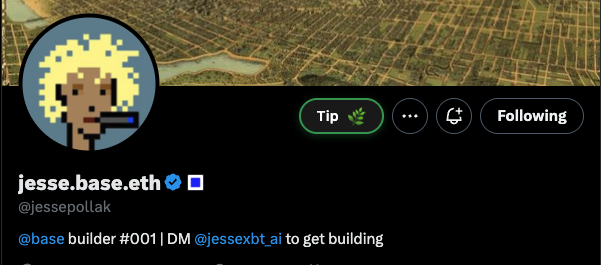
Bio
Include your address on its own line in your bio:
Building cool stuff on the internet
yourname.eth
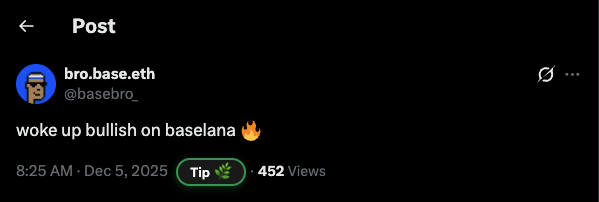
Grove provides a direct link to edit your 𝕏 profile.
You're Ready
When someone tips you using the Grove extension:
- USDC arrives directly in your wallet
- Transaction confirms in seconds
- View it on BaseScan or in your wallet app
Getting a Name (Optional)
Instead of sharing a long address, use a human-readable name:
- ENS:
yourname.eth— Get one at ens.domains - Base Name:
yourname.base.eth— Get one at base.org/names
Names are shorter, more memorable, and look more professional than 0x7a3b....